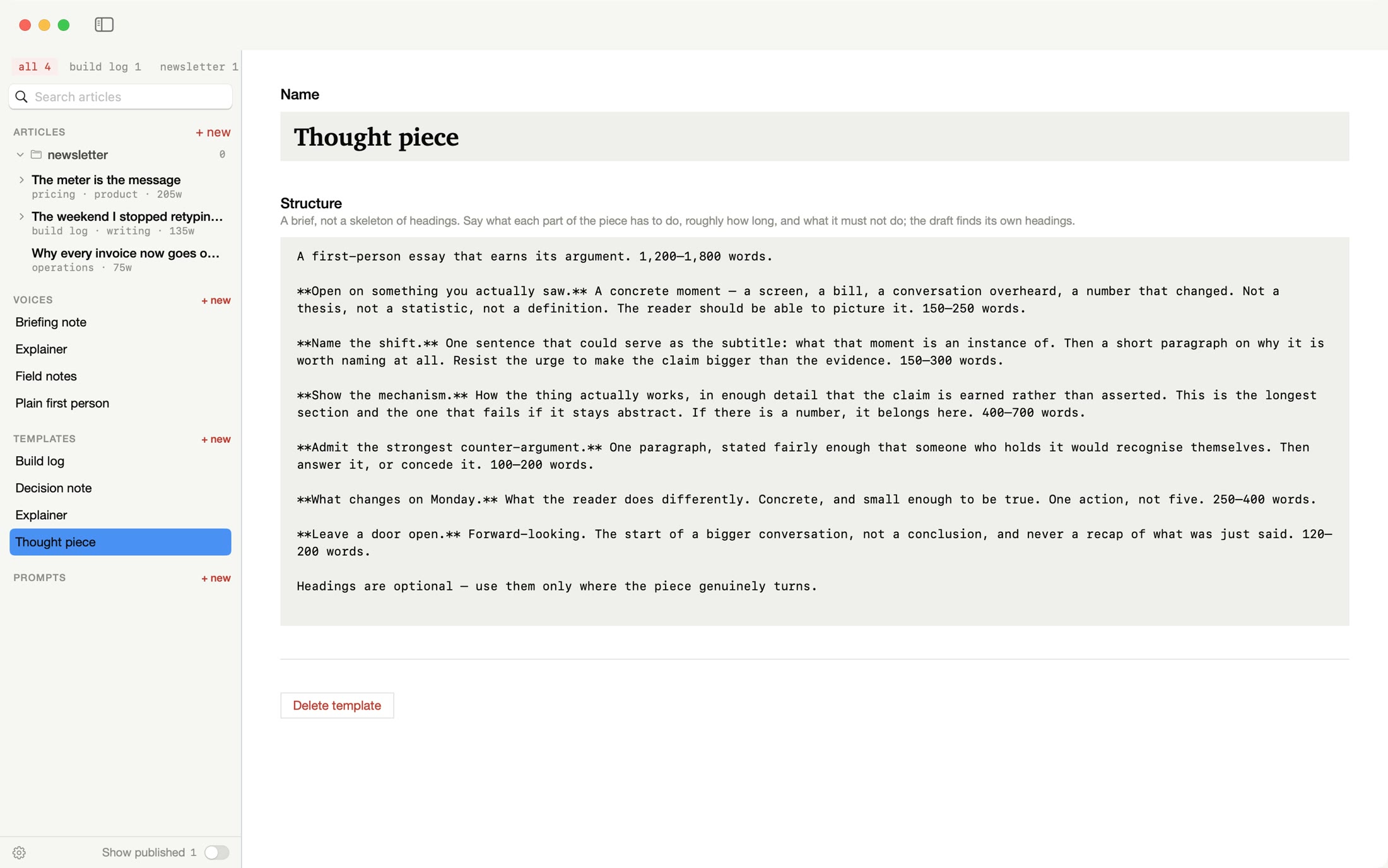
Template — the shape it takes
A brief, not a skeleton.
Say what each part of the piece has to do, roughly how long it should be, and what to steer clear of. The draft finds its own headings.
- Thought piece
- Build log
- Explainer
- Decision note
 Rarely Impossible

In My Words
For newsletter writers, LinkedIn posters and anyone with ideas but little time
Turn notes, transcripts and rough drafts into articles that sound like you.
Bring in what you've already gathered. Pick the shape the piece takes and how it should sound. The AI you choose writes a first draft in your voice, and you finish it in a calm editor.

Import Ideas — where a piece starts
Drag in your notes, transcripts or drafts, one file or several, or a whole zipped folder. Give the piece a working title.
A template for the shape it takes, a voice for how it sounds. Say who it's for and what it should cover, or let it suggest an angle from your notes.
Your first draft appears as it's written, usually within 15 to 60 seconds. Your notes are kept alongside it.

The first draft — live
Press Go and the draft is set in front of you, line by line, written from your notes and your direction in the shape you picked. Your original notes stay with the article, so you can always go back to them. Stop it whenever you like.
These are real frames from the app, about a third of a second apart. Drag the slider to move through them.

Templates and voices — kept apart on purpose
Any template works with any voice. So a build log, a briefing note or a thought piece can all come out sounding like you, and you only set each one up once.
Template — the shape it takes
Say what each part of the piece has to do, roughly how long it should be, and what to steer clear of. The draft finds its own headings.
Voice — how it sounds
A voice holds how you write, the phrases you never want to use, the voice that reads it aloud and the look of its pictures. Answer eight questions about how you write and press Write the voice, or start from a blank page. Then Tune by ear: pick, from 100 sentences, the ones that sound like you.
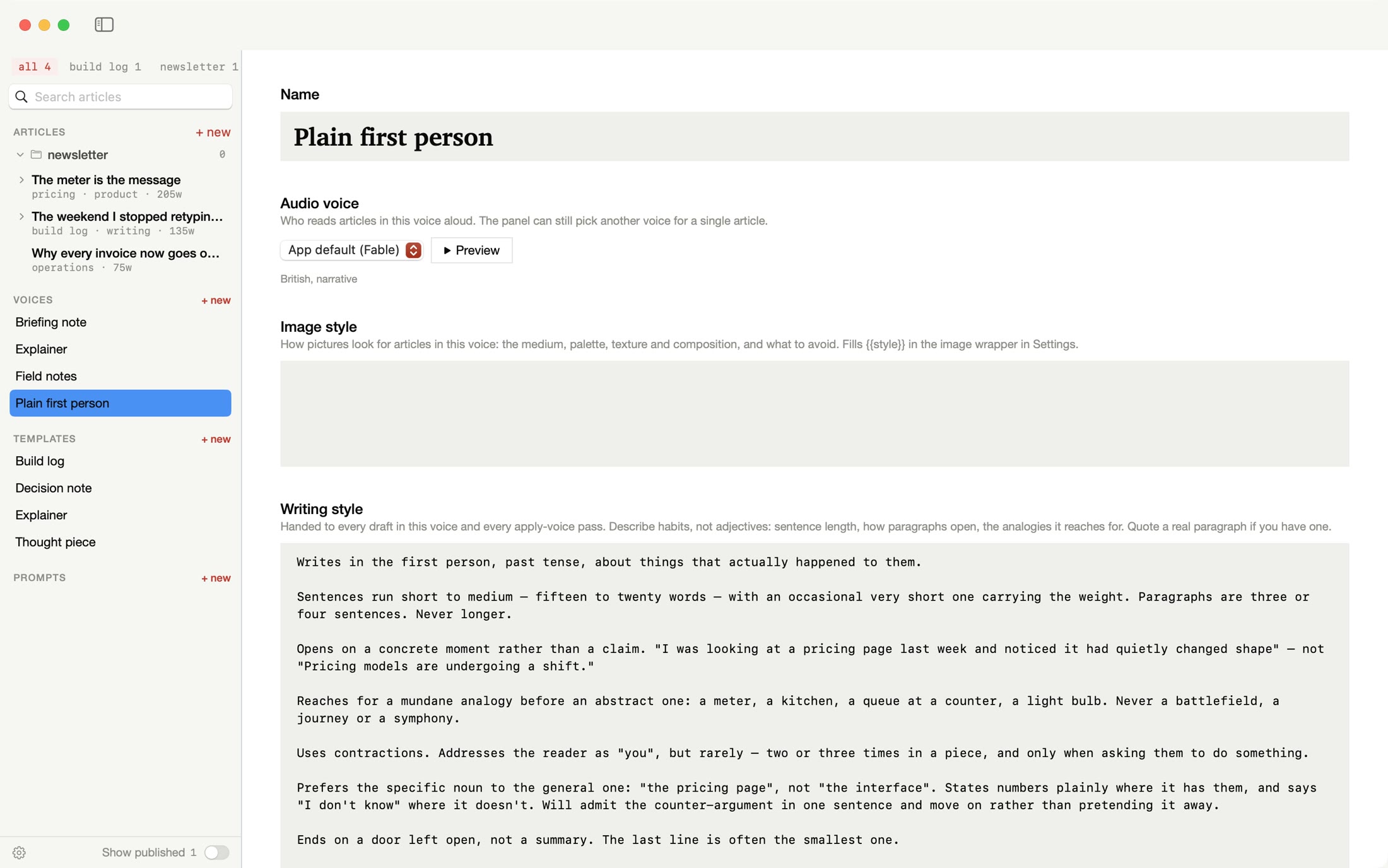
“Opens on a concrete moment rather than a claim.”
“Ends on a door left open, not a summary.”
From the built-in Plain first person voice
The editor — calm, and yours
A quiet editor with headings, bold and italic, links, quotes, lists, highlights and comments. Add pictures, galleries and video as you write. Keep things tidy with tags, folders and search, and open two pieces side by side.
Pick another template or voice and press Apply template & voice. It reshapes the draft and rewrites how it sounds in one go, and keeps your facts and examples.
Every earlier draft is kept under Versions, so nothing is lost.
Leave a comment on any passage, or highlight it to come back to. Tick them off as you go.
Comments are never sent to the AI, unless a prompt of your own asks for them.
Check spelling and grammar reads the whole piece and leaves the voice's habits alone. Suggest pictures marks where a picture would earn its place.
In Your prompts, save your own instructions for the jobs you repeat, on the whole piece or just the part you've selected. Then choose what happens with the answer: show it, add it where you are, or replace the article.
Pick a voice, press Preview to hear it read a sample line, then Generate audio. It reads the title and the article and saves the MP3 in the article's folder.
Reading it back is the quickest way to find the sentence that doesn't sound like you.

Version history
Every draft is kept. Step back through earlier drafts, all the way to your original notes, and press Use this version on the one you want. A two-finger swipe moves between them.
Finishing — pictures, sound, publishing
Add a picture where you want one and press Generate image. It's drawn in your voice's own image style, so the pictures match the writing. Pictures use your OpenAI account.
Generate audio makes a read-aloud version, saved as an MP3 with the article. Pick a voice from OpenAI or ElevenLabs, including one you've cloned with ElevenLabs.
Send the piece to Substack as a draft, with its pictures, videos and voiceover, ready for you to check. Write a LinkedIn post and thumbnail, then copy the post and open LinkedIn. Or export it to use anywhere else.
Your folder, your AI
Your library is ordinary files in a folder you choose. Open them in other apps, search them, back them up however you like.
You bring the AI. Connect your own OpenAI, Claude or ElevenLabs account, or an AI running on your own Mac, and pay them directly. Your keys are kept in your Mac's Keychain.
When you ask for a draft, a picture or audio, the text that job needs goes to the service you picked, under their terms. The privacy policy lists every connection the app makes.
Writing/
├─ articles/
│  └─ <id>/    one per article
│     ├─ article.md  the article
│     ├─ source.md   your notes
│     ├─ sources/
│     ├─ images/
│     ├─ audio/      article.mp3
│     ├─ versions/   earlier drafts
│     └─ comments.json
├─ voices/
├─ templates/
└─ prompts/
Watch how it works — 40 seconds
Support
Something not working, or an idea for the app? Email [email protected] with your Mac model and macOS version. Replies usually within two working days.
OpenAI or Anthropic's Claude for writing, OpenAI for pictures, and OpenAI or ElevenLabs for read-aloud audio. It also works with OpenAI-compatible services, including one running on your own Mac. You add your own keys in Settings, and choose which service does each job.
Your library stays on this Mac, as ordinary files in a folder you choose. When you ask for a draft, a picture or audio, the text that job needs goes to the AI service you picked, under their terms. Comments are never sent unless your own prompt asks for them.
Notes, transcripts and drafts saved as text files, such as plain text, Markdown, CSV or JSON. You can also drop in a zipped folder and it will be unpacked. Open Import Ideas, drop your files in, give it a working title and press Go.
Usually 15 to 60 seconds, depending on the AI you use and how much you bring in. The draft appears in the editor as it's written, and you can stop it at any time.
A template is the shape a piece takes: a short brief that says what each part has to do. A voice is how it sounds: how you write, phrases to avoid, and the read-aloud voice and picture style that go with it. Keep them separate and any shape can be written in any voice.
It creates a Substack draft, with text, pictures, videos and voiceover, for you to review and publish on Substack. You sign in on substack.com inside the app, so it never sees your password. There's no direct link to LinkedIn: it helps you write the post and a thumbnail, then copies the post and opens LinkedIn for you to paste.
Yes. Each article has its own folder with the text, your notes, pictures, audio, earlier versions and comments, all as ordinary files. Voices, templates and prompts are ordinary files too. You can also export a piece as Markdown, a web page or plain text.
Macs with Apple silicon running macOS 14 or later. It's in beta testing now. Email [email protected] and we'll tell you when it's ready.
How your data is handled, in full: In My Words privacy policy.